Another Useful Feature of runmqsc

I was reading the MQ Knowledge Center today (surprising, yes, I know!) looking up whether or not runmqsc in client mode uses regular PCF commands when sending commands to a remote queue manager. It doesn’t. It uses escaped PCF messages.

Anyway, I stumped across an interesting new feature that IBM included in IBM MQ v8.0 which I didn’t know about. You can now set a prompt for runmqsc. The normal prompt for runmqsc is a blank line. It is fine but not very useful if you get distracted then come back later, you may not remember what queue manager and/or server you were connected to.

There are a couple of problems with IBM’s documentation on MQPROMPT:

  • On Windows, when you issue the SET command with ” (double quotes) wrapping only the value (right-side of equals sign) then the runmqsc will have those double quotes in its prompt
  • On Unix/Linux, the UserId is retrieve with the variable +USER+ but on Windows, the UserId is retrieve with the variable +USERNAME+
  • On Windows, if you want a redirection character (i.e. > or & or < ) then you need to wrap the entire command including environment variable name in double quotes. If you only put the command (right-side of equals sign) in double quotes then the double quotes will show up in the runmqsc prompt.

Example on Linux/Unix:

export MQPROMPT="+QMNAME+ > "

Then when you run runmqsc, your runmqsc prompt will look like:

mqm@linux123:~> runmqsc MQLX01
5724-H72 (C) Copyright IBM Corp. 1994, 2018.
Starting MQSC for queue manager MQLX01.

MQLX01 > 

Example on Windows:

set "MQPROMPT=+QMNAME+ > "

Note: Please note where the ” double quotes are located. It is important!!

Then when you run runmqsc, your runmqsc prompt will look like:

C:\Users\roger>runmqsc MQWT1
5724-H72 (C) Copyright IBM Corp. 1994, 2020.
Starting MQSC for queue manager MQWT1.

MQWT1 > 

Or maybe you want it similar to a prompt on server.

On Linux/Unix, you would do:

export MQPROMPT="[+USERNAME+@+MQ_HOST_NAME+] +QMNAME+ > "

Then when you run runmqsc, your runmqsc prompt will look like:

mqm@linux123:~> runmqsc MQLX01
5724-H72 (C) Copyright IBM Corp. 1994, 2018.
Starting MQSC for queue manager MQLX01.

[mqm@linux123] MQLX01 > 

And on Windows, you would do:

set "MQPROMPT=[+USERNAME+@+MQ_HOST_NAME+] +QMNAME+ > "

Then when you run runmqsc, your runmqsc prompt will look like:

C:\Users\roger>runmqsc MQWT1
5724-H72 (C) Copyright IBM Corp. 1994, 2020.
Starting MQSC for queue manager MQWT1.

[roger@windows123] MQWT1 > 

Or maybe you want the UserId and queue manager name but with a “$” rather than a “>”.

On Linux/Unix, you would do:

export MQPROMPT="+USER+ @ +QMNAME+ $ "

Then when you run runmqsc, your runmqsc prompt will look like:

mqm@linux123:~> runmqsc MQLX01
5724-H72 (C) Copyright IBM Corp. 1994, 2018.
Starting MQSC for queue manager MQLX01.

mqm @ MQLX01 $ 

And on Windows, you would do:

set “MQPROMPT=+USERNAME+ @ +QMNAME+ $ “

Then when you run runmqsc, your runmqsc prompt will look like:

C:\Users\roger>runmqsc MQWT1
5724-H72 (C) Copyright IBM Corp. 1994, 2020.
Starting MQSC for queue manager MQWT1.

roger @ MQWT1 $ 

Or maybe you log onto the remote server with PuTTY or similar xterm terminal emulation and you want a token to let you know which environment you are in (i.e. DEV, QA, PROD, etc).

Example on Linux/Unix:

export MQPROMPT="[PROD] +USER+ @ +QMNAME+ > "

Then when you run runmqsc, your runmqsc prompt will look like:

mqm@linux123:~> runmqsc MQLX01
5724-H72 (C) Copyright IBM Corp. 1994, 2018.
Starting MQSC for queue manager MQLX01.

[PROD] mqm @ MQLX01 > 

Example on Windows:

set “MQPROMPT=[PROD] +USERNAME+ @ +QMNAME+ > “

Then when you run runmqsc, your runmqsc prompt will look like:

C:\Users\roger>runmqsc MQWT1
5724-H72 (C) Copyright IBM Corp. 1994, 2020.
Starting MQSC for queue manager MQWT1.

[PROD] roger @ MQWT1 > 

I tried setting the color for MQPROMPT like PROMPT on Windows and PS1 on Linux but it appears that runmqsc does not support it.

Note: Rather than setting the MQPROMPT each time you are using runmqsc, simply set the command in your profile on Linux/Unix or in the Environment Variables panel on Windows.

Regards,
Roger Lacroix
Capitalware Inc.
Education, IBM i (OS/400), IBM MQ, IBM MQ Appliance, Linux, Unix, Windows Comments Off on Another Useful Feature of runmqsc

MQ Batch Toolkit v3.2.1 Released

Capitalware Inc. would like to announce the official release of MQ Batch Toolkit v3.2.1. This is a FREE upgrade for ALL licensed users of MQ Batch Toolkit. MQ Batch Toolkit allows users to manipulate, monitor and manage messages in a queue of an IBM MQ (formally WebSphere MQ & MQSeries) queue manager from a command-line or shell scripting environment.

For more information about MQ Batch Toolkit go to:
https://www.capitalware.com/mqbt_overview.html

    Changes for MQ Batch Toolkit v3.2.1:

  • Added code to better handle missing channel exit and/or incorrect path to channel exit.
  • Fixed a bug in the registration process
  • Updated docs (English only)

Regards,
Roger Lacroix
Capitalware Inc.
Capitalware, IBM MQ, Linux, macOS (Mac OS X), MQ Batch Toolkit, Windows Comments Off on MQ Batch Toolkit v3.2.1 Released

MQTT Message Editing Suite V1.0.0 Released

Capitalware Inc. would like to announce the official release of MQTT Message Editing Suite V1.0.0.

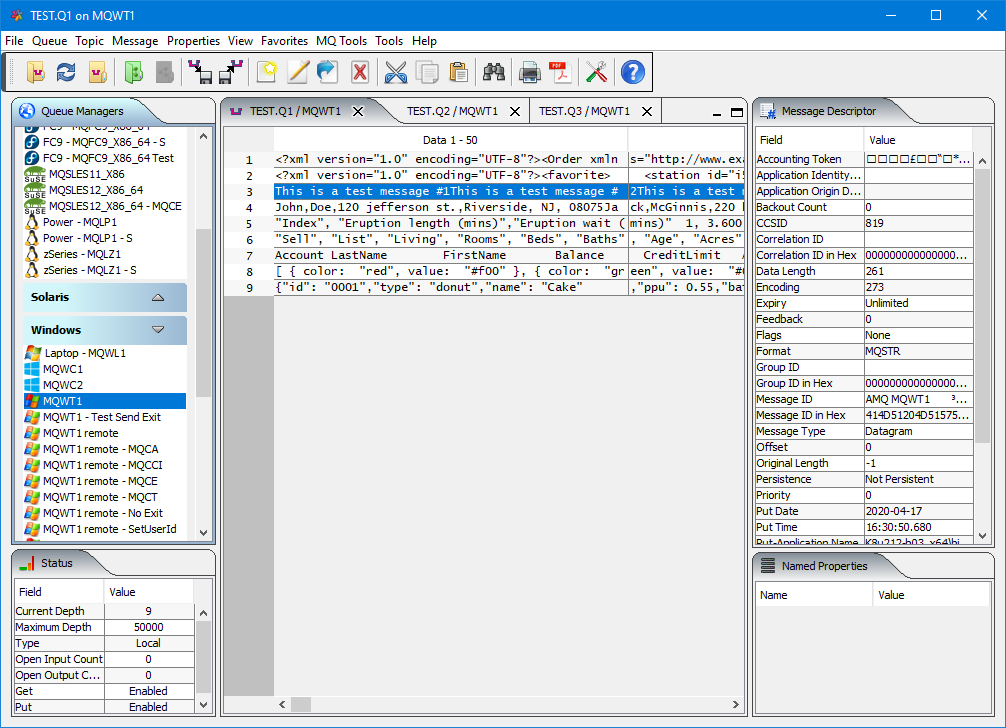
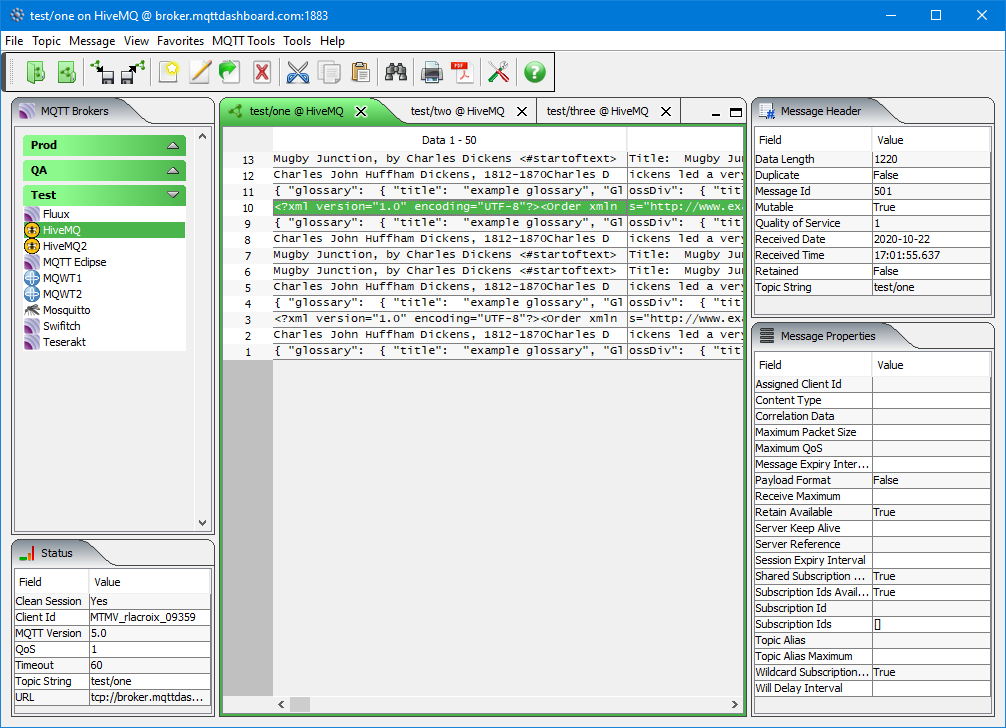
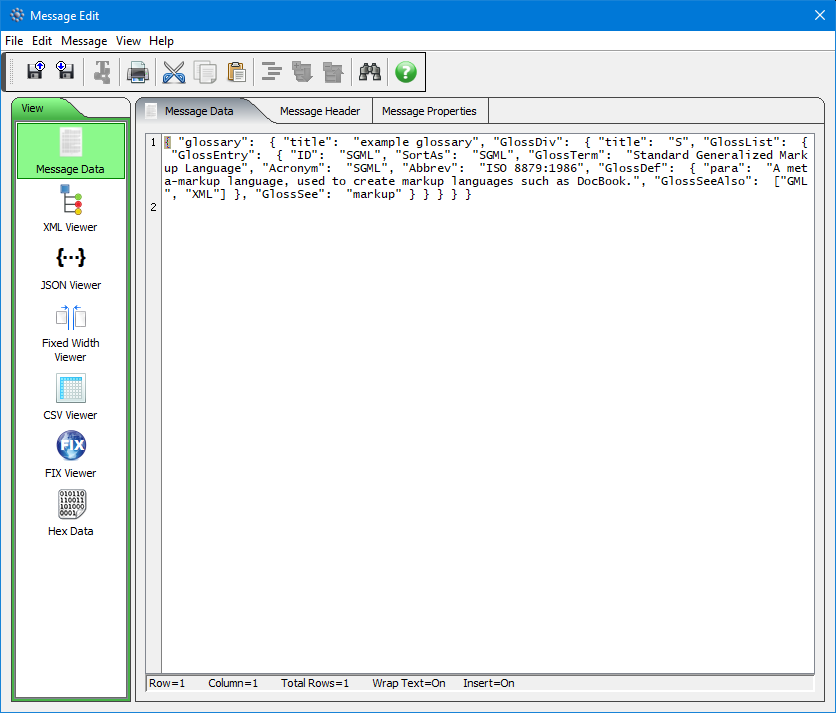
MQTT Message Editing Suite (MMES) application allows users to subscribe, publish, edit, copy, delete, forward, backup, restore, import and export messages of a topic of an MQTT Broker.

The messages of a topic are presented in a table format similar to a spreadsheet program. MMES is an MQTT (MQ Telemetry Transport) client that connects to an MQTT Broker. MQTT is a machine-to-machine (M2M)/Internet of Things (IoT) connectivity protocol.

MMES supports MQTT protocol versions 3.1, 3.1.1 and 5.0.

MMES is a great tool for IoT (Internet of Things) application programmers, developers, quality assurance testers, and production support personnel. The tool allows for quick problem solving because the data is presented in a very logical and insightful manner.

MMES is able to connect to any remote MQTT Broker. The remote MQTT Broker can be on any platform. The following is a sample of the MQTT Brokers that MMES can connect to: 2lemetry, Apache ActiveMQ, Apache Apollo, EMQ, GnatMQ, HBMQTT, HiveMQ, IBM MessageSight, IBM MQ, JoramMQ, Moquette, Mosquitto, MQTT.js, RabbitMQ, RSMB, Software AG Universal Messaging, Solace, ThingMQ and VerneMQ.

MMES has full language support for the following 55 languages: Amharic, Arabic, Azerbaijani, Bengali, Cebuano, Chinese (Mandarin China), Chinese (Mandarin Taiwan), Czech, Danish, Dutch, English, Finnish, French, German, Greek, Gujarati, Hausa, Hebrew, Hindi, Hungarian, Igbo, Indonesian, Italian, Japanese, Javanese, Kannada, Korean, Malay, Malayalam, Marathi, Norwegian, Panjabi, Pashto, Persian, Polish, Portuguese, Romanian, Russian, Shona, Sindhi, Spanish, Sundanese, Swahili, Swedish, Tamil, Telugu, Thai, Turkish, Ukrainian, Urdu, Uzbek, Vietnamese, Xhosa, Yoruba and Zulu.

MMES is designed to run on a desktop platform that supports Java SE 8 (or higher). This includes: Linux x86, macOS (Mac OS X) and Windows 7/8/8.1/10.

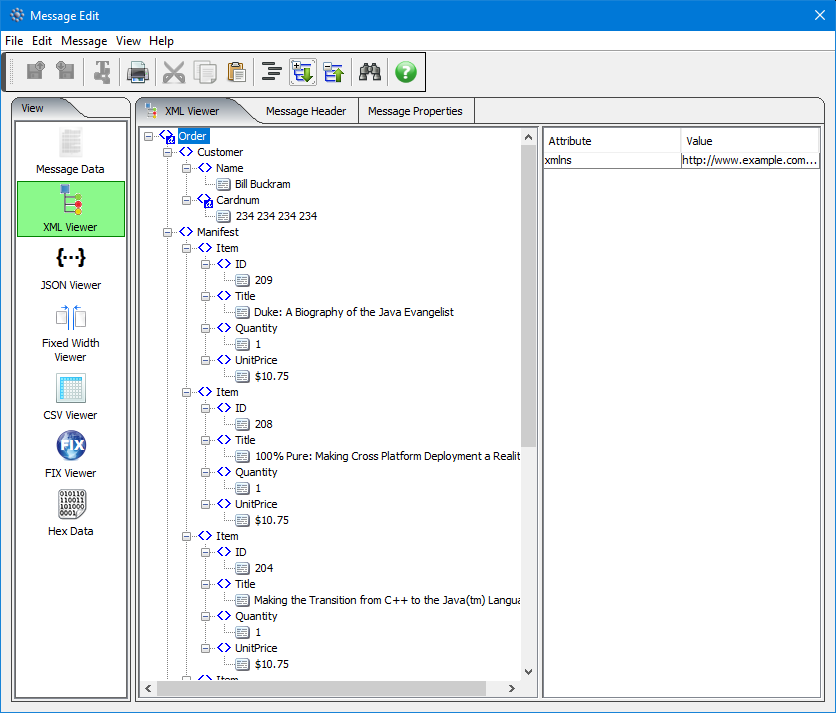
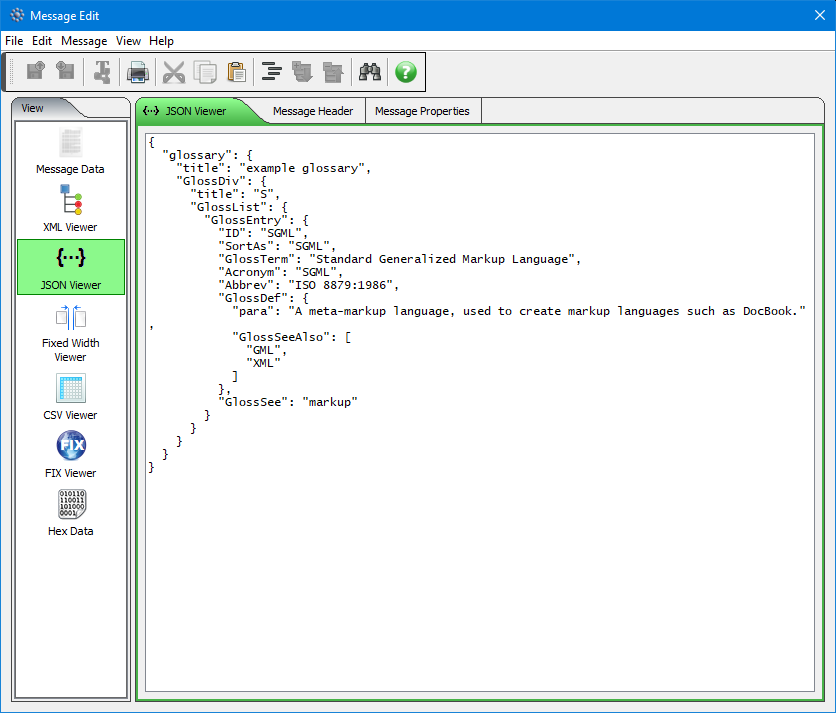
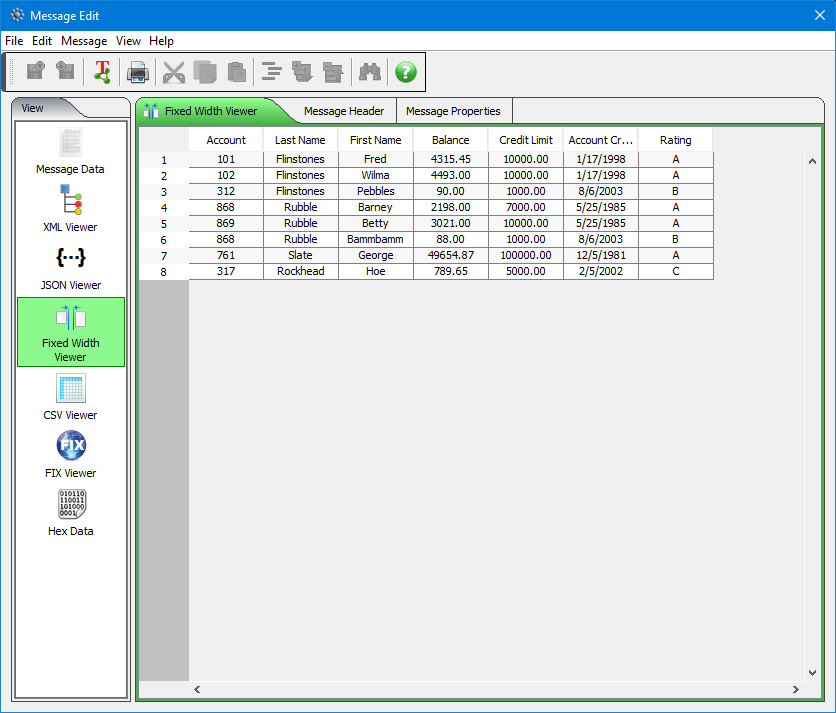
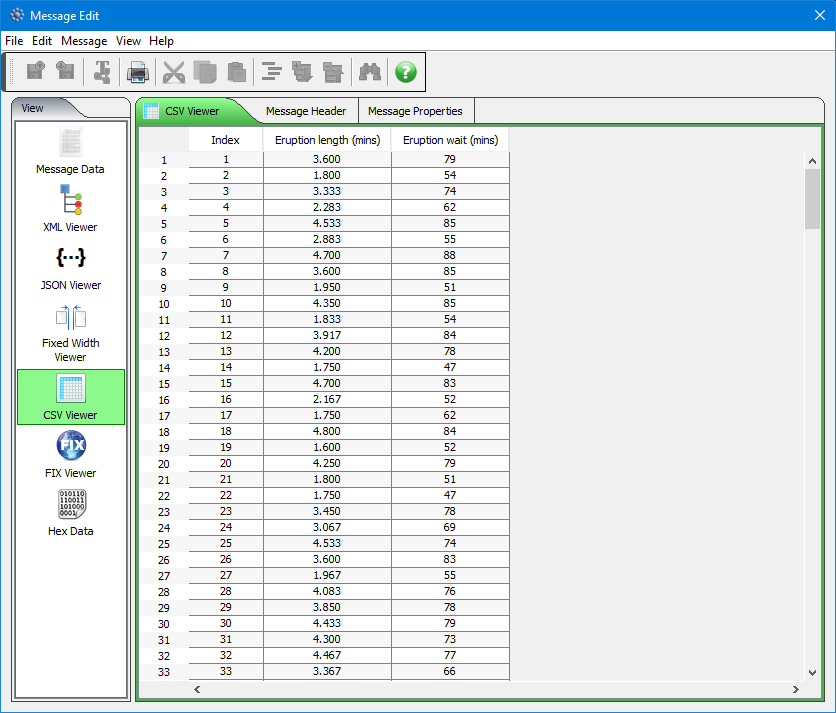
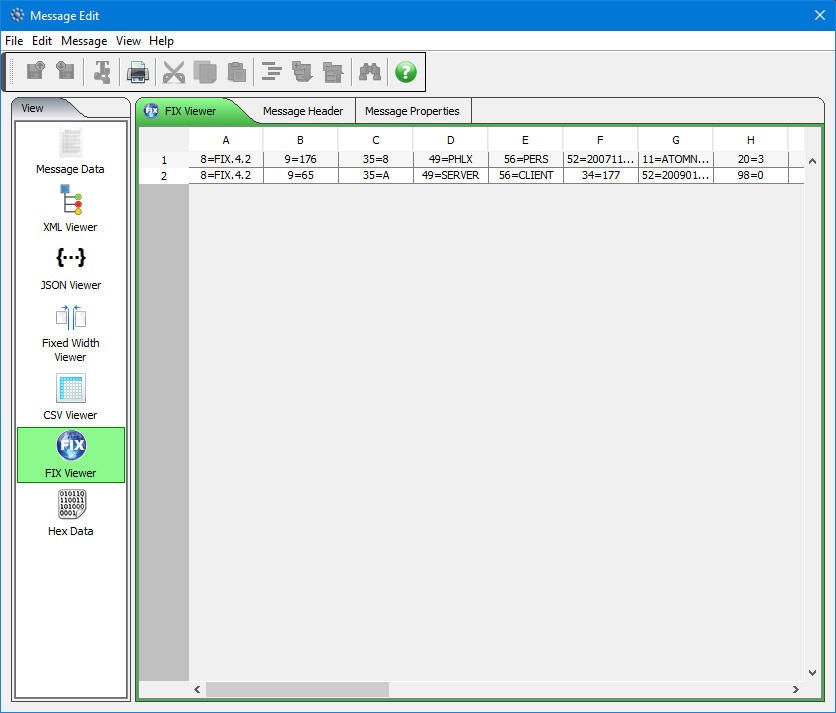
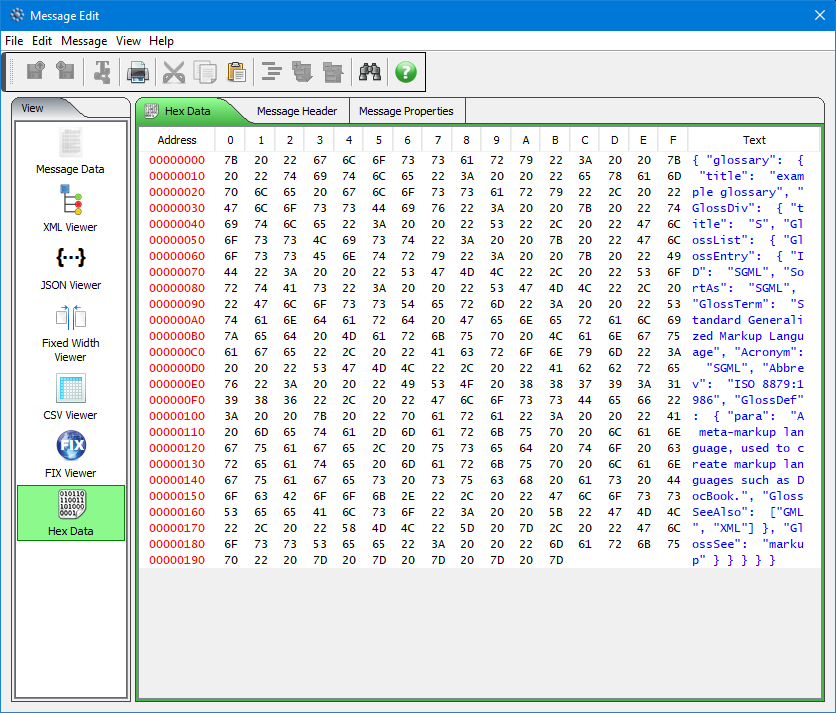
Here’s screen-shots (click on the image to see a larger picture):

Message Edit
XML Viewer
JSON Viewer
Fixed Width Viewer
CSV Viewer
FIX Viewer
HEX Viewer
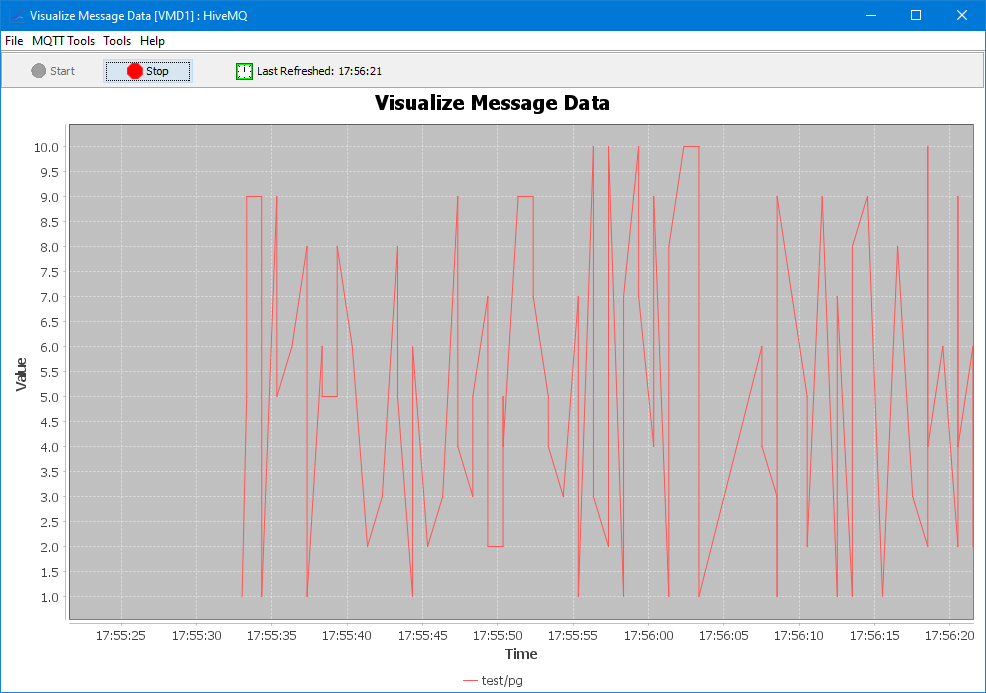
Visual Message Data
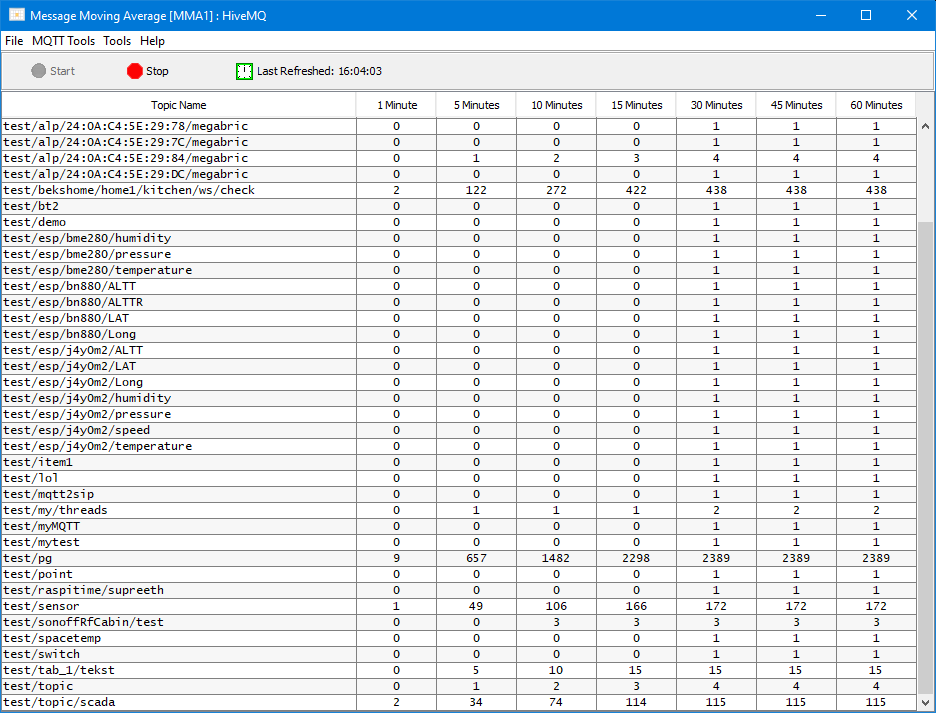
Message Moving Average
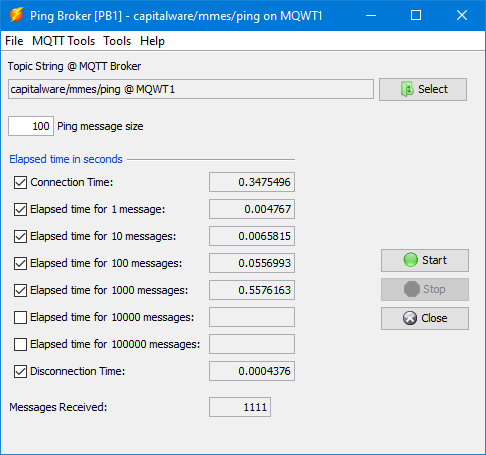
Ping Broker
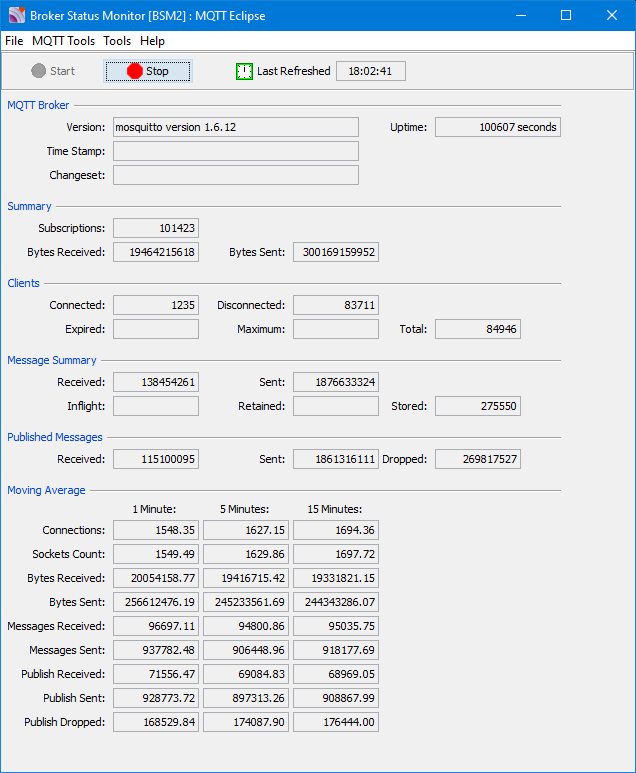
Broker Status Monitor
 

For more information about MQTT Message Editing Suite, please go to:
https://www.capitalware.com/mmes_overview.html

Regards,
Roger Lacroix
Capitalware Inc.
Capitalware, Linux, macOS (Mac OS X), MQTT, MQTT Message Editing Suite, Windows Comments Off on MQTT Message Editing Suite V1.0.0 Released

C Code to Lookup MQ Reason Code

Starting with the release of IBM MQ v8.0, IBM included a new header file called: cmqstrc.h. The file description says:

This file provides mappings between MQI constant values and string versions of their definitions.

In the cmqstrc.h file, from IBM MQ v9.2, there are 342 subroutines for looking up the various integer values and returning the MQ constant (string) value. Each subroutine uses switch/case instructions for looking up the integer value.

Using switch/case instructions is fine for 1 off usage in your code (i.e. for a failure situation) but if your code is calling a lookup subroutine many times a second then you are creating an unnecessary bottleneck.

Switch/case instructions are performing a linear/sequential search algorithm. A linear search is extremely inefficient. It would be far, far better to use a binary search algorithm.

Algorithm Worst-case
Performance
Best-case
Performance
Average
Performance
Linear Search O(n) O(1) O(n/2)
Binary Search O(log n) O(1) O(log n)

There are 561 MQ Reason codes. So, based on the above table, the code would make the following comparisons for average performance:

– Linear search is O(n/2) which is O(561/2) equals 280.5
– Binary search is O(log n) which is O(log 561) equals 9.13

The difference in the number of comparisons between Linear search and Binary search is staggering (orders of magnitude different).

As I said earlier, if your code only needs to output the MQ constant for an integer value in a 1 off situation (error condition) then using a Linear search algorithm is fine but if your code is repetitively looking up MQ constants then you should switch to using a Binary search algorithm.

I have created a simple C header file (called mqlookup.h) that will provide lookup subroutines for MQ Completion Codes and Reason Codes. Note: The Lookup_MQRC subroutine uses a Binary search whereas Lookup_MQCC subroutine uses switch/case because there are only 4 values for Completion Codes.

You simply include the mqlookup.h file in your program then you can do:

#include “cmqc.h”                   /* Include for MQI Constants */
#include “mqlookup.h”

char tempBuf[25];
...

MQCONN(QMName, &hConn, &CompCode, &Reason);

if (MQRC_NONE != Reason)
{
  printf("MQCONN to %.48s failed with MQCC=%d (%s) : MQRC=%d (%s)\n",
         QMName,
         CompCode,
         Lookup_MQCC(CompCode, tempBuf),
         Reason,
         Lookup_MQRC(Reason, tempBuf));
}

The Lookup_MQ* routines require 2 parameters:
– the integer value to look up
– a buffer to be used in case the integer value is not found. The integer will be converted to a string and returned to caller.

You can download the source code from here.

Regards,
Roger Lacroix
Capitalware Inc.
C, Capitalware, HPE NonStop, IBM i (OS/400), IBM MQ, Linux, macOS (Mac OS X), Open Source, Programming, Raspberry Pi, Unix, Windows, z/OS Comments Off on C Code to Lookup MQ Reason Code

New: MQ Message Compression v1.0.0

Capitalware Inc. would like to announce the official release of MQ Message Compression v1.0.0.

MQ Message Compression (MQMC) is a solution that provides compression for MQ message data while it resides in a queue or topic and in the MQ logs (i.e. all data at rest). Data compression is the process of modifying and/or converting the structure of bits of data so that it consumes less space in memory and/or on disk.

Question: Would you trade a little CPU time to drastically reduce the disk I/O time?

    MQMC has implemented 7 lossless compression algorithms:

  • LZ4 is a lossless data compression algorithm that is focused on compression and decompression speed. It belongs to the LZ77 family of byte-oriented compression schemes. LZ4 algorithm is incredibly fast. MQMC implemented the LZ4 project.
  • LZW (Lempel-Ziv-Welch) encodes sequences of 8-bit data as fixed-length 12-bit codes. MQMC implemented LZW from Michael Dipperstein’s lzw project.
  • LZMA uses a dictionary compression algorithm, whose output is then encoded with a range encoder, using a complex model to make a probability prediction of each bit (Lempel–Ziv–Markov). MQMC implemented LZMA SDK from 7-Zip.
    • LZMA_FAST uses LZMA SDK with a Level set to 4.
    • LZMA_BEST uses LZMA SDK with a Level set to 5.

  • RLE (Run Length Encoding) encodes sequences of the same data value occurring over many consecutive data elements are stored as a single data value and count.
  • zlib only supports one algorithm, called DEFLATE, which uses a combination of a variation of LZ77 (Lempel–Ziv 1977) and Huffman coding. MQMC implemented zlib from Rich Geldreich’s miniz project.
    • ZLIB_FAST uses zlib with a Level of Z_BEST_SPEED.
    • ZLIB_BEST uses zlib with a Level of Z_BEST_COMPRESSION.

MQMC is an MQ API Exit that operates with IBM MQ v7.1, v7.5, v8.0, v9.0, v9.1 and v9.2 in Windows, Unix, IBM i (OS/400) and Linux platforms.

On IBM i, Linux, Unix and Windows, MQMC can be configured and used with a non-default installation of MQ in a multi-install MQ environment.

For more information about MQMC, please go to:
https://www.capitalware.com/mqmc_overview.html

For a FREE 60-day trial including free support, send an email to: support@capitalware.com to request a trial of MQ Message Compression.

Regards,
Roger Lacroix
Capitalware Inc.
Capitalware, Compression, IBM i (OS/400), IBM MQ, Linux, MQ Message Compression, Unix, Windows Comments Off on New: MQ Message Compression v1.0.0

Replay of Online Meetup: Enterprise messaging on the Raspberry Pi with IBM MQ

If you wanted to attend the online meetup of Enterprise messaging on the Raspberry Pi with IBM MQ but could not attend, you can now watch the replay of it at:
https://www.crowdcast.io/e/learn-about-ibm-mq-an/register

Regards,
Roger Lacroix
Capitalware Inc.
Education, IBM MQ, Raspberry Pi Comments Off on Replay of Online Meetup: Enterprise messaging on the Raspberry Pi with IBM MQ

IBM MQ Troubleshooting Common TLS SSL Errors

IBM has just published a helpful support document called: IBM MQ Troubleshooting Common TLS SSL Errors.
https://www.ibm.com/support/pages/node/6359069

If you are having MQ SSL/TLS issues then have a read of this document and follow the instructions.

Regards,
Roger Lacroix
Capitalware Inc.
HPE NonStop, IBM i (OS/400), IBM MQ, IBM MQ Appliance, Linux, macOS (Mac OS X), Security, Unix, Windows, z/OS Comments Off on IBM MQ Troubleshooting Common TLS SSL Errors

Withdrawn/Discontinued: IBM IoT MessageSight and IBM Watson IoT Platform – Message Gateway

I just came across the following announcement that says IBM has completely pulled the plug on IBM IoT MessageSight and IBM Watson IoT Platform – Message Gateway.
https://www.ibm.com/support/pages/node/6340723

So basically, that leaves IBM MQ as IBM’s primary messaging platform for MQTT? It is rather odd since IBM has refused to fully support MQTT in IBM MQ.

Regards,
Roger Lacroix
Capitalware Inc.
IBM MQ, IBM MQ Appliance, Linux, MQTT, Unix, Windows Comments Off on Withdrawn/Discontinued: IBM IoT MessageSight and IBM Watson IoT Platform – Message Gateway

Online Meetup: Enterprise messaging on the Raspberry Pi with IBM MQ

Richard Coppen and Max Kahan of IBM Hursley, UK are hosting an Online Meetup called Enterprise messaging on the Raspberry Pi with IBM MQ. It will be hosted on CrowdCast on November 2, 2020. To learn more about it and to sign up, go to:
https://www.crowdcast.io/e/learn-about-ibm-mq-an/register

Regards,
Roger Lacroix
Capitalware Inc.
Education, IBM MQ, Raspberry Pi Comments Off on Online Meetup: Enterprise messaging on the Raspberry Pi with IBM MQ

Ubuntu 20.10 Released

Canonical has just released Ubuntu v20.10.
http://releases.ubuntu.com/20.10/

Super-fast, easy to use and free, the Ubuntu operating system powers millions of desktops, netbooks and servers around the world. Ubuntu does everything you need it to. It’ll work with your existing PC files, printers, cameras and MP3 players. And it comes with thousands of free apps.

Regards,
Roger Lacroix
Capitalware Inc.
Linux, Open Source, Operating Systems Comments Off on Ubuntu 20.10 Released